If you’ve issued a GST invoice and something’s gone wrong with it, a credit note format in Excel under GST is usually the fastest way to fix it without breaking any rules. You can’t just edit or delete a tax invoice once it’s out. A credit note is the legally accepted way around that, and getting the format right matters just as much as issuing it on time.
This guide walks through what needs to go into the format, when you’re allowed to issue one, and a rule that came into effect in late 2025 that a lot of existing guides still haven’t updated for. There’s also a downloadable Excel sheet at the end, built to match GST requirements out of the box.
Page Contents
What Counts as a Credit Note Under GST
A credit note is a document a registered supplier sends to a buyer to reduce what they owe, usually because the original invoice charged too much, or because goods came back, or because a discount got agreed on after the fact. It’s not just a formality either. Once it’s reported in GSTR-1, it directly changes the supplier’s output tax liability. That’s what separates a GST credit note from a plain internal adjustment memo businesses sometimes use.
When You’re Allowed to Issue One
Section 34(1) of the CGST Act lays out the situations where a credit note is valid. In practice, these are the ones that come up most often:
- Goods get returned because they were damaged, rejected on quality grounds, or simply wrong
- A service wasn’t delivered the way it was supposed to be, or wasn’t finished at all
- The invoice charged more tax or a higher value than what’s actually due
- A discount was agreed on after the invoice was raised, and it’s tied back to that invoice
- The buyer accidentally paid more than what was billed
Any of these gives you legal ground to issue a credit note. Outside of that, businesses sometimes try to use credit notes for things they weren’t meant for, and that’s usually where problems start during a GST audit.
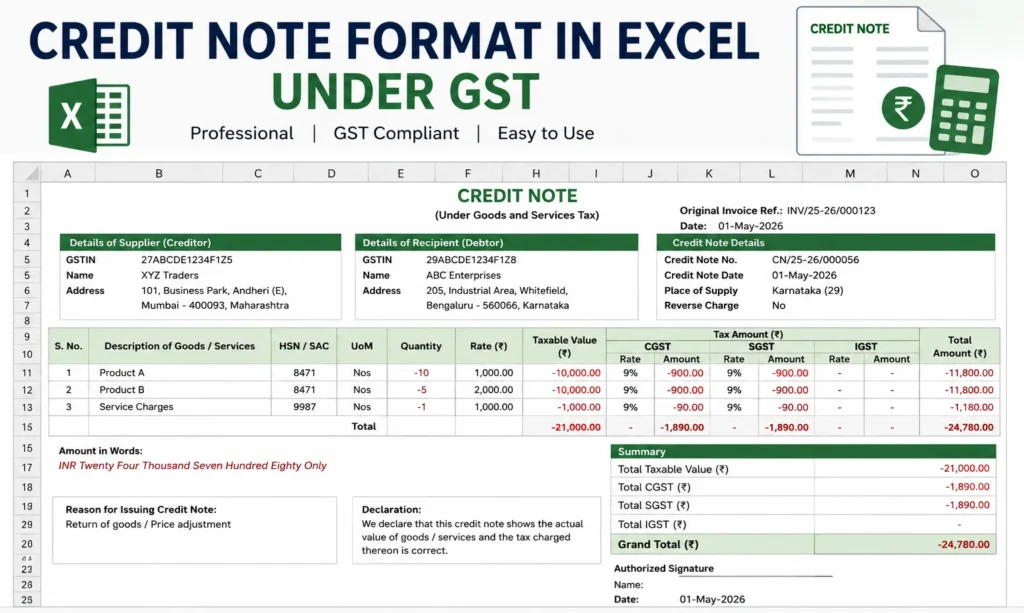
Fields That Have to Be in the Format
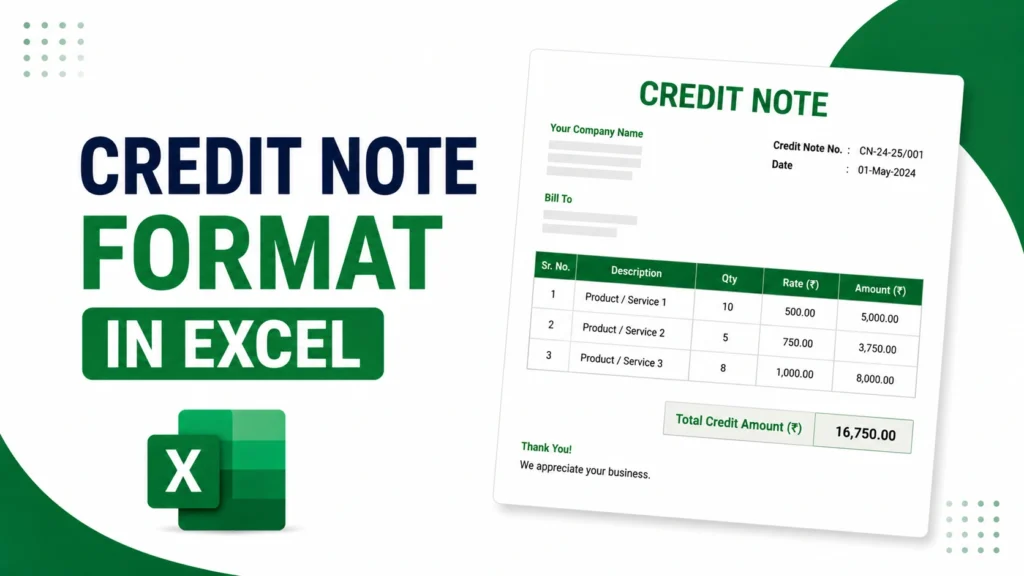
There’s no single official template mandated by law, but certain fields are non-negotiable if you want the document to hold up during reconciliation or scrutiny.
| Field | What Goes There |
|---|---|
| Document title | Clearly labeled “Credit Note” |
| Supplier details | Name, address, GSTIN |
| Serial number | Unique, sequential, under 16 characters |
| Date of issue | Self-explanatory |
| Buyer details | Name, address, and GSTIN if registered |
| Original invoice reference | Invoice number and its date |
| Reason | Return, discount, billing error, whatever applies |
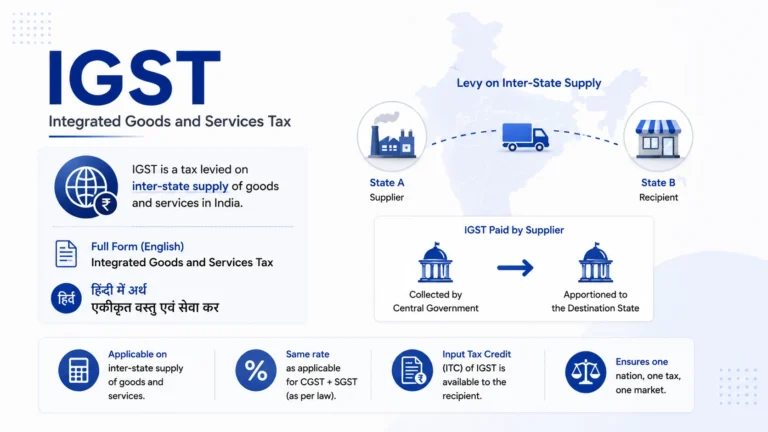
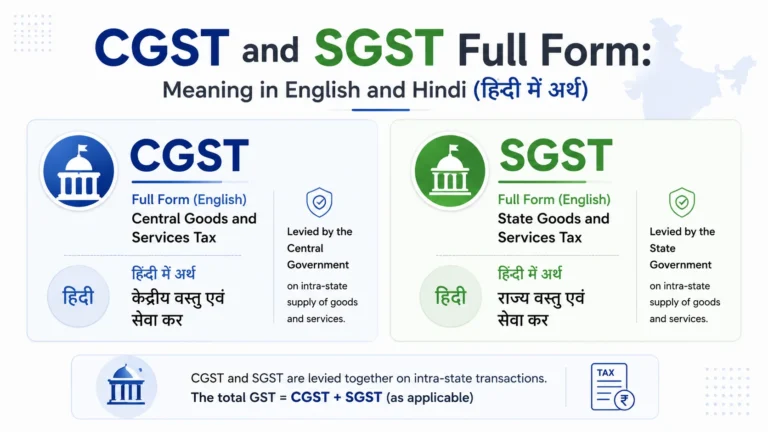
| Tax breakup | CGST, SGST, or IGST depending on the transaction |
| Total credit amount | Net value after tax |
| Signature | Supplier or an authorised signatory |
Out of all of these, the one people skip most often is the original invoice reference. Without it, the credit note can’t be matched back to anything, and that’s usually the first thing that gets flagged.
Deadline for Reporting a Credit Note in GST Returns
Here’s something that trips people up: there’s technically no deadline for issuing a credit note. You can raise one whenever the situation calls for it. But there is a hard deadline for reporting it in GSTR-1, and that’s where businesses actually lose out if they’re not paying attention.
You need to declare the credit note by whichever comes first:
- 30th November of the following financial year, or
- The date you file your annual return (GSTR-9) for that year
Miss that window and the credit note still exists, but you can no longer use it to lower your output tax. At that point, the only path left is filing a refund claim, which takes longer and involves more paperwork than most businesses would like.
The Rule Change From October 2025 That Changes How Credit Notes Work
This is the part most existing articles on this topic haven’t caught up with yet. From 1st October 2025, an amendment to Section 34(2) added a new condition on top of the reporting deadline: a supplier can only reduce their output tax liability through a credit note if the recipient has actually reversed the matching input tax credit.
Before this amendment, the moment you issued and reported a credit note, your tax liability came down, regardless of what the buyer did on their end. That’s no longer automatic. Now the reduction depends on the buyer’s ITC reversal actually happening, which means:
- Reconciliation with buyers isn’t optional anymore, it’s part of getting the tax benefit at all
- Following up on whether the recipient has reversed their ITC needs to become a routine step, not an afterthought
- If the buyer sits on it, your tax adjustment sits right along with it
If you’re issuing credit notes on a regular basis, this is worth building into your process now rather than finding out about it during a reconciliation mismatch later.
Download the Credit Note Format in Excel
- Simple Credit Note Format : basic single-item style, flat GST split
- GST Credit Note with Auto Tax Calculation : one GST rate cell drives CGST/SGST across all rows automatically
- Credit Note Format for Multiple Line Items : 15 rows for bulk-item credit notes with HSN/SAC and unit columns
- Credit Note Format Against Multiple Invoices : one credit note referencing several original invoice numbers/dates, per Section 34(1)
If you’re building your own instead of using a ready template, structure the line-item table with these columns:
Sr. No. | Description of Goods/Services | HSN/SAC Code | Quantity | Rate | Taxable Value | CGST | SGST | IGST | Total Amount
Keep a header block above it for supplier GSTIN, buyer GSTIN, credit note number, date, and the original invoice reference. Use SUM formulas on the tax and value columns so totals update on their own as you add or edit rows, instead of recalculating by hand every time.
Where Excel Falls Short
For occasional use, Excel does the job fine. But once volume picks up, a few limitations start to show:
- No built-in GSTIN validation, so typos slip through easily
- Formulas can break silently if a cell gets copied or overwritten
- Nothing tracks which credit note is linked to which invoice automatically
- Maintaining a clean audit trail gets harder as the sheet grows
- Data still needs manual re-entry when it’s time to file GSTR-1
None of this makes Excel a bad choice. It just means that businesses issuing credit notes frequently tend to move to GST billing software eventually, mostly because it links invoices and credit notes automatically and pushes the numbers toward return filing without extra manual work.
Credit Note vs Debit Note
People mix these up more than you’d expect, so here’s the difference in one place.
| Credit Note | Debit Note |
|---|---|
| Issued by the seller | Issued by the buyer, or by the seller under Section 34(3) for undercharging |
| Brings the payable amount down | Pushes the payable amount up |
| Lowers the seller’s output tax | Raises the seller’s output tax |
| Used for returns, discounts, overbilling | Used for undercharging or extra goods supplied later |
Frequently Asked Questions
Is there an official GST credit note format? No, there isn’t one fixed template mandated by law. What matters is that the required fields (GSTIN, invoice reference, tax breakup, serial number) are present. Excel, Word, or PDF all work as long as the content is complete.
Can a single credit note cover more than one invoice? Yes. Section 34(1) allows one credit note to be issued against multiple tax invoices, as long as each one is properly referenced.
What happens if the 30th November deadline is missed? The credit note doesn’t stop existing, but you lose the ability to adjust your output tax through it. A refund claim becomes the only remaining option.
Do I need the buyer’s approval before issuing a credit note? No approval is needed to issue it. But since the October 2025 amendment, your actual tax benefit depends on whether the buyer reverses their ITC, so staying in touch with them still matters in practice.
How long should credit notes be kept on record? At least 8 years, which lines up with standard GST record retention rules for audits and reconciliation.
Is GST required on a credit note if the original invoice was tax-exempt? No. If the original supply had no tax applied, the credit note follows the same treatment and carries no tax component either.