Page Contents
Introduction
Looking for an invoice format in Excel without GST? Many freelancers, small shop owners, and service providers need a simple professional bill that skips every tax column. This is common when turnover stays below the registration limit or when the supplies are exempt.
You do not need online generators or paid software. Excel (or Google Sheets) already gives you everything required for accurate totals, clean layout, and reusable templates. This guide shows exactly when an invoice format without gst is correct, the fields it must contain, how to build one step by step, useful formulas, common mistakes, and practical tips so your billing stays clear and reliable.
Who Can Issue an Invoice Without GST
You can legally issue a non-GST invoice if:
- Your annual turnover is below the GST registration threshold (₹20 lakh for most services and ₹40 lakh for goods in normal category states; lower limits apply in special category states).
- You deal only in GST-exempt goods or services.
- You are under the composition scheme and issue a bill of supply.
- You export services to foreign clients and receive payment in foreign currency (zero-rated).
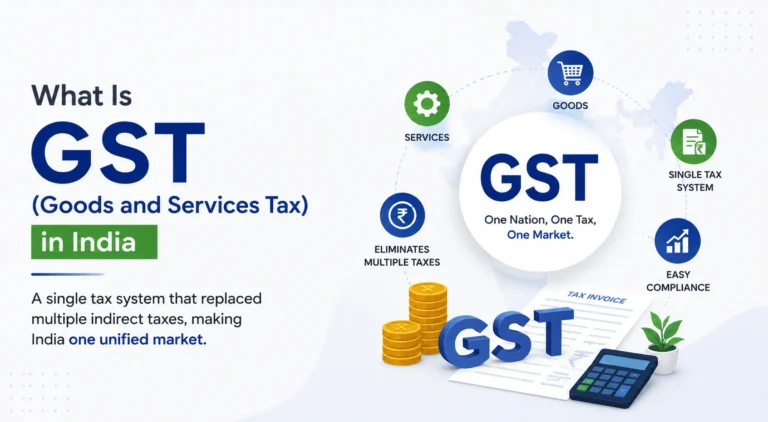
Aggregate turnover is calculated on a PAN basis across all locations. Only GST-registered suppliers can charge GST. Adding a GST line when you are not registered is not allowed.
Essential Fields for a Without GST Invoice Format in Excel
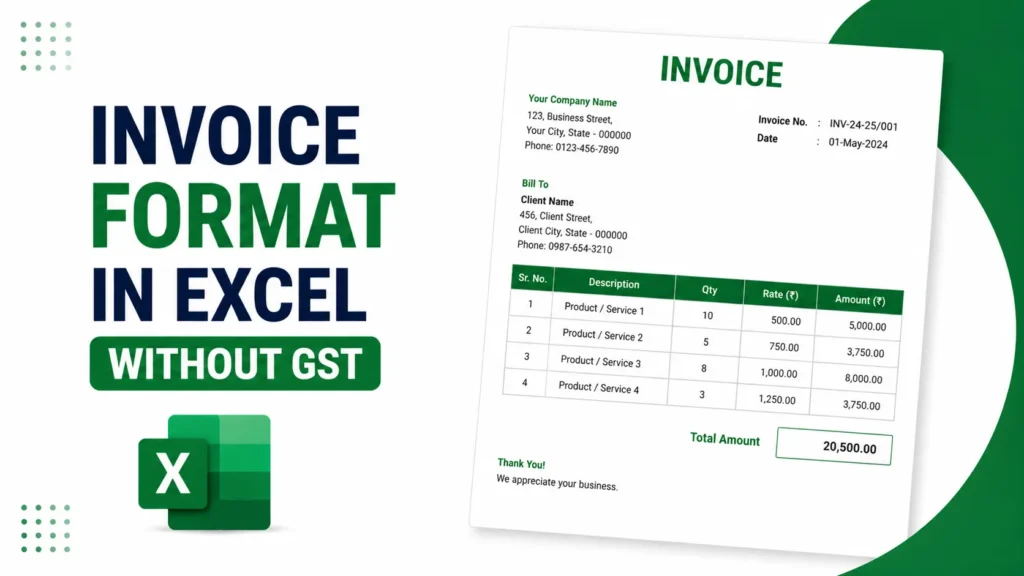
A solid non-GST invoice needs these details:
- Your name or business name, complete address, phone, and email
- Optional logo and Udyam number if you have one
- Unique sequential invoice number and date
- Customer name and address
- Clear description of each item or service, quantity, rate, and line amount
- Subtotal, any discount, and grand total (figures and preferably words)
- Payment details (bank account, IFSC, UPI)
- A short declaration such as “GST is not applicable as the supplier is not registered under GST”
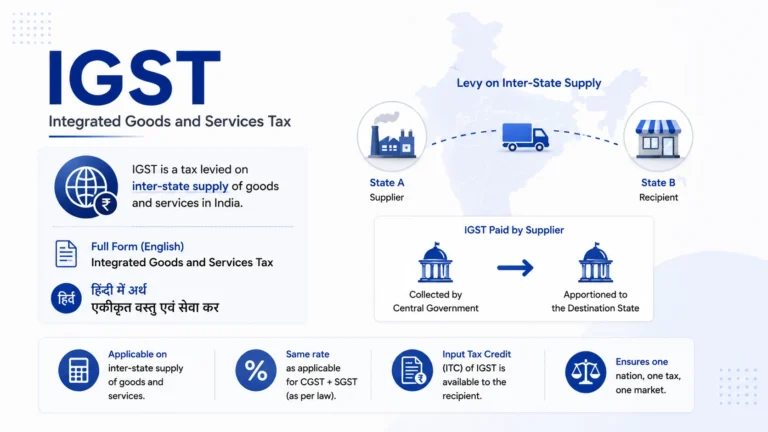
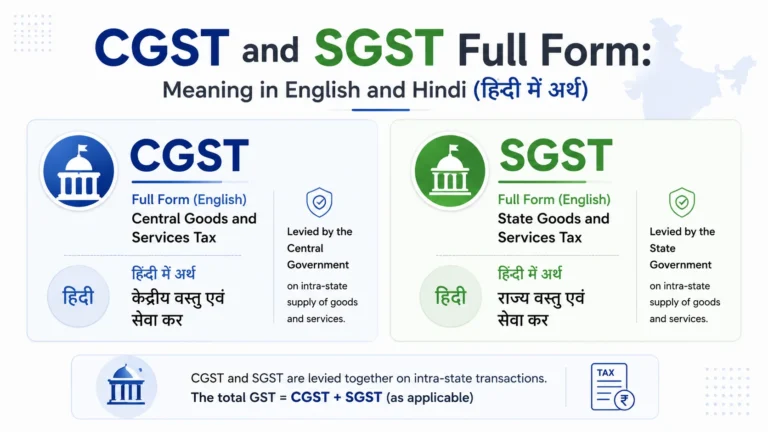
Skip GSTIN, HSN/SAC tax columns, CGST, SGST, and IGST completely.
Free Download: Ready-Made Invoice Format Without GST
Prefer not to build this from scratch? Grab the ready-made invoice format without gst template below. It already has the right fields, the non-GST declaration line, and working formulas, so you can just drop in your business details and start billing. It’s available as an Excel file, a Word document, and a PDF.
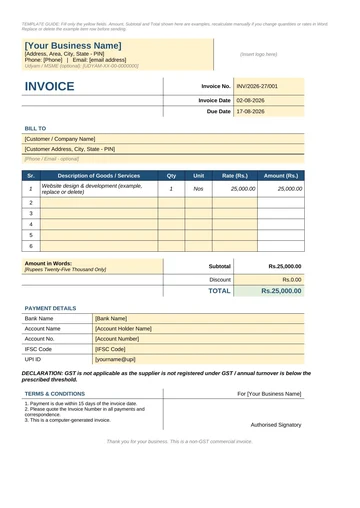
Invoice Format Without GST
Clean non-GST invoice template for freelancers, unregistered businesses and composition dealers. No CGST, SGST or IGST columns, just a straightforward bill with the required declaration line.
How to Create the Invoice Format in Excel Without GST
Open a blank workbook.
- Set the page to A4 with comfortable margins so the finished invoice prints on one page.
- In the top-left area type your business name in a larger bold font. Add address and contact details below it. Leave space on the right for a logo (Insert > Pictures).
- A few rows down type “INVOICE” in large letters. Beside it place “Invoice No.” and “Date”. Keep a simple list of used numbers so the sequence stays clean.
- Create a “Bill To” block for the customer.
- Build the item table with headers: Sr. No. | Description | Qty | Rate | Amount Select the headers and several empty rows, then press Ctrl + T to turn the range into an Excel Table. Tables expand formulas automatically when you add lines.
- In the Amount column enter
=[@Qty]*[@Rate]. Format Rate and Amount as currency. - Below the table calculate:
- Subtotal = SUM of the Amount column
- Discount (type the value or use a percentage formula)
- Total = Subtotal – Discount Make the Total cell bold. Optionally add the amount in words in a cell below.
- At the bottom add bank or UPI details and the short GST declaration.
- Save the file as an Excel Template (.xltx). Each new invoice starts from a clean copy. Name finished files clearly, for example ClientName-INV-2026-014.xlsx.
The same layout works in Google Sheets.
Adapting Free Templates
Many free Excel invoice templates are available for general use. Download a clean one, delete every GST-related column (tax rate, CGST, SGST, IGST, HSN), correct the total formula, and add the non-GST declaration. This takes only a few minutes and gives you a ready without GST invoice format in Excel.
Useful Formulas and Tracking Tips
- Line amount:
=[@Qty]*[@Rate] - Subtotal:
=SUMof the Amount column - Discount:
=Subtotal * DiscountPercentage(if you store the percentage in a cell) - Final total:
=Subtotal - Discount
Protect the formula cells once the template is ready. Add a second sheet that logs invoice number, date, client, and amount. A PivotTable or SUMIF then shows monthly totals without extra effort.
Common Mistakes to Avoid
- Adding a “0% GST” line. This implies registration. Simply omit all tax fields.
- Skipping the short declaration note. Clients’ accounts teams often ask for clarification without it.
- Reusing or skipping invoice numbers. Sequential numbering is important for income-tax records.
- Vague descriptions such as “professional services”. Be specific.
- Typing the total instead of using a formula.
- Forgetting bank or UPI details.
If turnover later crosses the threshold, register for GST and start a new invoice series with proper tax fields.
Practical Tips for Daily Use
Number invoices by financial year (INV/2026-27/001). Export finished invoices as PDF before sending so the layout stays fixed. For hourly work change the Qty header to Hours; the same formulas still work. Review the template every few months when address or bank details change.
Frequently Asked Questions
Is a without GST invoice legally valid in India? Yes for unregistered suppliers, composition dealers (as bill of supply), and exempt supplies. It remains a valid commercial document for income-tax records, proof of income, and client documentation.
What is the current GST registration threshold? ₹20 lakh for most service providers and ₹40 lakh for goods suppliers in normal category states. Lower limits apply in special category states. Always verify the latest official figures for your situation.
Can I use a regular Excel template and just remove the tax columns? Yes. Delete the GST-related columns and formulas, then adjust the total calculation. Add a short declaration note for clarity.
Do I need HSN or SAC codes? Not required for most unregistered persons. A clear description of the goods or services is sufficient.
What if a client asks for a GST invoice and I am not registered? Explain that you are not registered under GST and therefore cannot issue a tax invoice. Provide the regular commercial invoice with the declaration note. The client cannot claim input tax credit on it.
How long should I keep these invoices? Retain them for the period required under income-tax rules (generally six to eight years) and any other applicable record-keeping requirements.
Will the same template work in Google Sheets? Yes. The layout and basic formulas transfer directly.
Conclusion
A clean invoice format in Excel without GST is straightforward to create and maintain. Focus on clear identification of both parties, sequential numbering, accurate line totals through simple formulas, and straightforward payment details. Whether you build the sheet from scratch or adapt a free general template, keep the design readable and free of unnecessary tax columns. Maintain a number log, export to PDF for sharing, and switch to a full GST format the moment registration becomes necessary. This approach keeps billing accurate, professional, and low-effort for freelancers and small businesses.