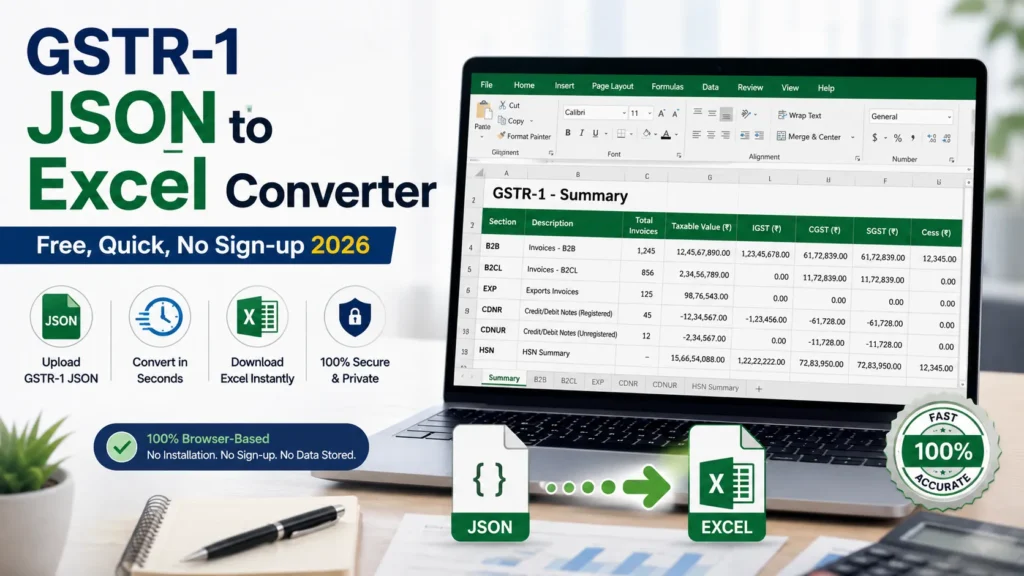
If you’ve ever opened a GSTR-1 JSON file in a text editor, you know the problem already: it’s one giant wall of nested brackets, and finding a single invoice in there feels like hunting for a specific sentence in a phone book. This free GSTR 1 JSON to Excel converter turns that JSON into a normal Excel file, one sheet per section, and can turn it back into JSON when you’re done checking it.
It’s free, there’s no login, and nothing you upload here ever reaches a server. We’ll get into why that matters further down.
Page Contents
How to use the GSTR 1 JSON to Excel converter
- Drop your GSTR-1
.json(or.zipfrom the portal, or an.xlsxyou converted earlier) into the box below. - It reads every section (B2B, B2CL, B2CS, CDNR/CDNUR, exports, nil-rated, advances, HSN, documents issued) and tells you how many rows it found in each, before anything downloads.
- Download the Excel. Or, if you’re going the other way, download the JSON.
What you actually get
Every section that exists in your JSON becomes its own tab: B2B, B2CL, B2CS, CDNR, CDNUR, EXP, Nil_Exempt_NonGST, Advances_Received, Advances_Adjusted, HSN, Docs_Issued. Plus a Summary tab with your GSTIN and the filing period pulled straight from the file.
One row from a sample B2B sheet:
| Customer_GSTIN | Invoice_No | Invoice_Date | Taxable_Value | CGST | SGST |
|---|---|---|---|---|---|
| 27AABCT5678B1Z9 | INV/2026/001 | 05-03-2026 | 10,000 | 900 | 900 |
Nothing fancy. That’s rather the point: flat rows you can filter and sum, instead of three levels of nesting.
[INSERT SCREENSHOT HERE. Take one yourself from the tool above after clicking Convert, then upload it with alt text: “GSTR 1 JSON to Excel converter sample output”]
Why the JSON is such a mess to begin with
GSTN nests everything by GSTIN, then by invoice, then by line item. Makes sense for their systems. Doesn’t help you at all when you’re trying to figure out why last month’s CGST total is off by ₹340. Flattening it into rows fixes that. You lose nothing, you just stop having to click through three levels to see a number.
How we stack up against the other converters out there
Quick honesty check before the table: most of this is pulled from what each tool publicly says about itself, not from us testing every paid tier ourselves, so double-check pricing directly with them if it matters to your decision. If you’re comparing GSTR 1 JSON to Excel converter options, file-size limits and section coverage matter more than most people expect, since a tool that silently drops CDNR or HSN rows can cost you more time than it saves.
| Tool | Free / Paid | Bidirectional? | File limit | Return types |
|---|---|---|---|---|
| GSTZen | Paid (₹/invoice wallet) | JSON to Excel only | Not published | GSTR-1, 1 e-Invoice, 2A, 2B, 9, ITC-04 |
| GST Tool (gsttool.in) | Free | JSON/ZIP to Excel only | Not published | GSTR-1, plus 2A/2B recon & Tally exports |
| Finexo | Free | Yes, JSON to Excel and back | 15 MB | GSTR-1, 2, 3B, 2A, 2B |
| TECHCA (gstauditor.in) | Free | JSON/ZIP to Excel only | 25 MB | GSTR-1, 3B, 2A, 2B in one uploader |
| ClearTax Advisors | Free | Invoices to JSON (not JSON to Excel) | Not published | Builds GSTR-1 JSON from raw sales invoices + 3B summary |
| Bizeract | Free (paid filing add-on) | Sort of, see note below | 15 MB | B2B, B2CL, B2CS, CDNR/CDNUR, exports, HSN, docs issued |
| This tool | Free | Yes, all sections, both directions | 15 MB | B2B, B2CL, B2CS, CDNR/CDNUR, EXP, nil-rated, advances, HSN, docs issued |
Bizeract’s own docs admit their Excel-to-JSON path doesn’t rebuild GSTN’s nesting properly, so treat that one as a way to eyeball your data, not something to upload straight to the portal.
Getting the JSON off the GST portal
- Log in at gst.gov.in.
- Returns Dashboard.
- Pick the year, quarter, and month. Quarterly filer? Pick the last month of the quarter.
- Download icon on the GSTR-1 tile.
- “Generate JSON File to Download.” Give it about 20 minutes, then refresh and grab it.
The Power Query way, if you’d rather not use a tool at all
Excel can do this natively through Power Query. It’s slower and you’ll rebuild the same steps every filing period, but here’s the rundown:
Open a blank workbook, go to Data, Get Data, From File, From JSON, and pick your file. Power Query shows you a single Record. Click “To Table,” expand it, and you’ll see the top-level fields (b2b, b2cl, hsn, and so on). For a nested section like b2b you then have to drill down three levels (supplier, then invoice, then item), clicking “expand” and “to table” each time before it looks like a normal spreadsheet. Do that separately for every section you care about, then Close & Load each one onto its own sheet.
First time through, budget 15-20 minutes. Worth saving the query steps as a template if you’re filing every month, because otherwise you’re redoing this exact drilling sequence each period. That’s basically what the tool above does automatically, minus the manual clicking.
Frequently Asked Questions
Why won’t my GSTR-1 JSON upload to the portal?
A few usual suspects: a duplicate invoice number, or one over 16 characters, or with a character the portal just doesn’t like. Sometimes it’s the place-of-supply code not matching the buyer’s GSTIN state. Sometimes someone edited the file in Notepad and it picked up weird encoding. And occasionally it’s just an old schema version. GSTN updates the format periodically (V3.2 is current as of this writing), and older files get bounced. Open it in a converter first, check your row counts look right, and compare the totals against whatever summary the portal shows you post-upload.
What even is a JSON file, in the GST context?
It’s just the data format GSTN uses to shuttle information between its offline tool, the portal, and whatever software you’re using. Computers like it. Humans generally don’t want to read it directly, which is the whole reason this page exists.
Can I go the other way, Excel to JSON?
Yes, flip the toggle above. It rebuilds the nested structure for every section. One thing worth doing: convert it back to Excel again afterward and check the numbers match, since it’s easy to accidentally introduce a stray space or reformat a date while editing in Excel, and either can get your file rejected.
Is my data actually safe here?
Yes. The whole thing runs in JavaScript, in your browser, and never touches a server. No login, nothing saved anywhere. Refresh the tab and it’s gone. If you want to check for yourself, load the page, then turn off your wifi, then try converting. It’ll still work, because it was never talking to us in the first place.
When’s GSTR-1 actually due?
11th of the following month if you file monthly. 13th after quarter-end if you’re on QRMP. Miss it and there’s a ₹50/day late fee (₹20/day for nil returns).
Does this work on my phone?
Technically yes. Practically, reviewing a multi-tab Excel file on a 6-inch screen isn’t fun, and a big JSON file might chug on an older phone. Use a laptop if you have one handy.
Other Convertors
- GSTR-2A JSON to Excel Converter
- GSTR-2B JSON to Excel Converter
- GSTR-3B Excel to JSON Converter
- ITC-04 JSON to Excel Converter
- GSTR-2A vs Purchase Register Reconciliation