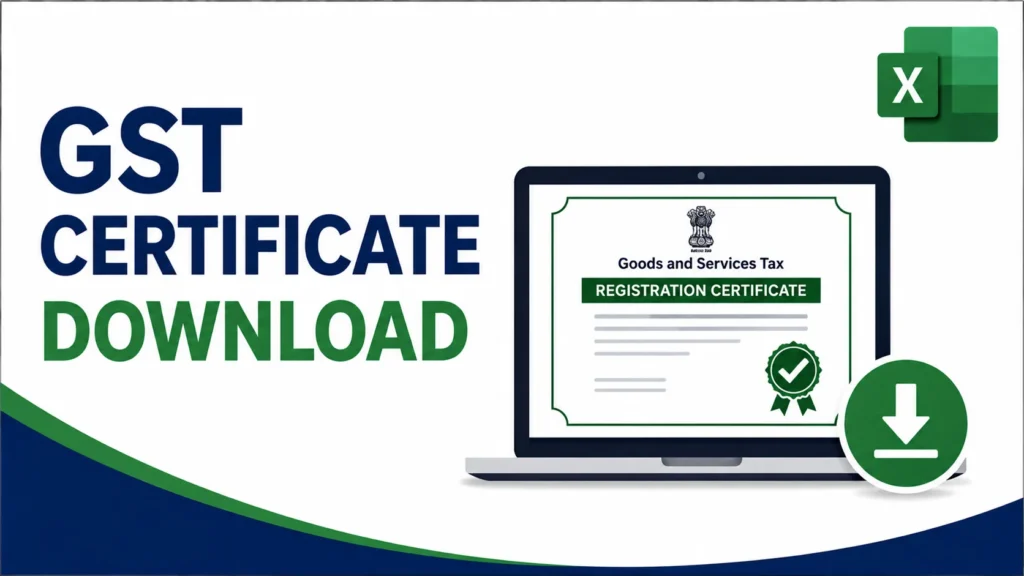
The GST certificate, officially Form GST REG-06, is issued only in digital form. The GST department does not send a printed copy by post. It has to be downloaded from the GST portal using the login credentials linked to that GSTIN.
This guide walks through the full download process step by step, what the certificate actually contains, how to look up a business using its GST number or PAN without logging in, what you can and can’t do without login access, how long the certificate stays valid depending on the type of taxpayer, where it needs to be displayed, and how to fix the download issues people run into most often.
Page Contents
What Is a GST Certificate (Form GST REG-06)?
A GST certificate confirms that a business is registered under the Goods and Services Tax system. It’s generated automatically once a registration application is approved, and it’s available as a digitally signed PDF on the GST portal.
The certificate contains the GSTIN, legal name, trade name (if any), business constitution (proprietorship, partnership, LLP, company, and so on), principal place of business, the effective date of registration, and the approving authority.
Under GST rules, it must be displayed at the registered place of business. It’s also commonly asked for when opening a current bank account, applying for government tenders, or onboarding with a new vendor or client.
GST Certificate vs GSTIN
A GSTIN is the 15-digit registration number. The GST certificate is the Form GST REG-06 document that contains the GSTIN along with the full set of registration details. The GSTIN by itself isn’t a downloadable file; the certificate is the actual document that carries it.
People often shorten “GST certificate” to “GST RC,” and refer to getting it as an RC download or a registration download. These all mean the same thing: retrieving Form GST REG-06 from the portal.
Before You Start: What You’ll Need
- GSTIN (the 15-character number issued at registration)
- GST portal username and password
- Access to the registered mobile number or email, in case an OTP is needed
- A PDF reader
Forgotten your password? Use the “Forgot Password” link on the login page. It sends a reset link to your registered mobile number or email.
How to Download the GST Certificate from the Portal (Step-by-Step)
Before anything else: only www.gst.gov.in can generate a valid, digitally signed copy of this certificate. If you come across a third-party site offering to fetch or generate it for you, it doesn’t have the authority to issue this document, so steer clear.
- Go to the official portal at www.gst.gov.in.
- Click Login. Enter the username, password, and captcha, then submit.
- On the dashboard, click Services in the top navigation bar.
- Hover over User Services, then click View/Download Certificates.
- A list of certificates issued for that GSTIN appears, usually in descending chronological order. Find the Registration Certificate (Form GST REG-06).
- Click the download icon next to it.
- It downloads as a PDF. Save it and double-check that the details are correct.
That’s the entire process, whether it’s your first time downloading it or you’re grabbing a repeat copy after losing the file. Any authorized signatory on the account can do this. No digital signature certificate is needed for this particular step.
Can You Download It Using Just the GST Number?
Not directly. The GSTIN isn’t something you type into a search box to pull up the certificate. It’s tied to the login credentials for that specific account. Once you’re logged in, the portal shows the certificate for that GSTIN automatically under View/Download Certificates. So whether someone phrases it as downloading by GST number, with GST number, or just “GST download by GST number,” it’s really the same login-based process described above. The GSTIN identifies which account you’re in, not a field you search with.
This is also the same path people mean when they ask about downloading the “registration certificate” specifically. It’s the same Form GST REG-06 document either way.
Can You Find a Certificate Using a PAN Number?
The GST portal’s public Search Taxpayer tool has a Search by PAN option. Enter a PAN and it returns every GSTIN registered under it, along with each one’s status (active, cancelled, etc.) across the states where the business is registered.
This won’t get you the actual REG-06 PDF, though. That’s only available after logging in to the specific GSTIN’s account under User Services. Think of the PAN search as a verification tool rather than a way to pull the document itself.
What You Can Do Without Logging In
The GST portal’s public search tools work without any login:
- Search Taxpayer by GSTIN/UIN or PAN: shows legal name, trade name, registration status, state, taxpayer type, and registration date.
None of these give you the signed PDF certificate, though. That’s only accessible under User Services, after logging in with valid credentials for that GSTIN. If you’ve lost login access, resetting your password brings it back; there’s no separate no-login route that produces the actual signed document.
What’s Inside the GST Registration Certificate
The certificate has three parts.
Part 1: The Main Certificate
| Field | What It Shows |
|---|---|
| GSTIN | 15-character registration number |
| Legal Name | Name as per PAN records |
| Trade Name | Commercial/brand name, if different from legal name |
| Constitution of Business | Proprietorship, partnership, LLP, company, HUF, etc. |
| Principal Place of Business | Main registered address |
| Date of Liability | Date liability to register arose |
| Period of Validity | Blank for regular taxpayers; a date for casual/NRTP registrations |
| Type of Registration | Regular, composition, casual taxable person, NRTP |
| Approving Authority | Officer or system-approval details |
| Date of Issue | Date the certificate was generated |
Annexure A: Additional Places of Business
Lists branches, warehouses, godowns, depots, or offices registered under the same GSTIN, beyond the principal address.
Annexure B: Persons in Charge
Lists the proprietor, partners, directors, karta, or trustees associated with the registration, depending on how the business is structured.
Decoding the GSTIN
| Position | Represents |
|---|---|
| Digits 1-2 | State code |
| Digits 3-12 | PAN of the registered person |
| Digit 13 | Entity number under that PAN |
| Digit 14 | Fixed as “Z” |
| Digit 15 | Check code |
A quick way to sanity-check an invoice: does the state code match the supplier’s declared location, and do digits 3-12 match the supplier’s actual PAN? A mismatch on either is worth investigating further.
How Long the Certificate Stays Valid
| Taxpayer Type | Validity |
|---|---|
| Regular taxpayer | No fixed expiry; valid until cancelled or surrendered |
| Composition scheme taxpayer | No fixed expiry, while eligibility conditions are met |
| Casual taxable person | Period applied for, or 90 days, whichever is earlier (extendable) |
| Non-resident taxable person | Period applied for, or 90 days, whichever is earlier (extendable) |
If you’re registered as a casual or non-resident taxable person, file for an extension before your validity period runs out. Otherwise you lose the ability to operate under that registration.
Where It Needs to Be Displayed
GST rules require the certificate to be displayed at the principal place of business, and at every additional place listed in Annexure A. The GSTIN itself also needs to be on the name board at the entrance of each location.
Skipping this can attract a penalty of up to ₹25,000 under Section 125 of the CGST Act. Composition taxpayers have an extra requirement: the signboard needs to say “composition taxable person,” and every bill of supply must note “composition taxable person, not eligible to collect tax on supplies.”
When You’ll Need to Download It Again
Grab a fresh copy after:
- A core-field amendment gets approved (address change, new branch, change in partners/directors)
- Any non-core amendment updates on the portal
- Your registration is restored after suspension or cancellation
Amendments go through Form GST REG-14. Core-field changes (legal name, principal address, additional places of business, partners or directors) need officer approval, usually within 15 working days. Non-core changes are typically auto-approved. Either way, once an amendment is approved, your old certificate no longer reflects the current details, so it’s worth replacing it.
Common Download Issues and How to Fix Them
| Issue | Cause | Fix |
|---|---|---|
| Certificate not listed under View/Download Certificates | Recently approved, not yet synced | Wait a few hours, clear cache, retry |
| Login not working | Incorrect credentials | Use Forgot Password / Forgot Username |
| Download icon greyed out | Amendment pending officer approval | Wait for approval, then retry |
| PDF downloads but won’t open | Browser or PDF reader issue | Redownload, open in a standard PDF reader |
| Certificate shows outdated address | Amendment not yet approved | Check REG-14 status |
| “No certificate available” message | GSTIN suspended or cancelled | Check status under Search Taxpayer |
| Download button unavailable for sub-user | Restricted account permissions | Log in using the primary authorized signatory account |
How to Verify Someone Else’s GST Registration
- Go to www.gst.gov.in
- Click Search Taxpayer
- Select Search by GSTIN/UIN, or Search by PAN
- Enter the details and captcha
- Check the legal name, status, registration date, and taxpayer type
Watch for red flags: a status of cancelled or suspended, a legal name that doesn’t match the invoice, or a registration date that’s after the invoice date. Any of these is worth checking further before accepting the invoice or claiming input tax credit on it.
Frequently Asked Questions
I forgot my password. How do I get my certificate? Use the “Forgot Password” link on the login page. A reset OTP goes to your registered mobile number or email.
My certificate isn’t showing up under View/Download Certificates. Why? It was probably approved recently and hasn’t synced yet. It usually shows up within a few hours.
Can I get it through a third-party website instead? No. Only the official GST portal can issue a digitally signed certificate. Third-party sites have no authority to generate a legally valid copy.
Do I need to download it again after changing my business details? Yes. Every approved amendment generates an updated certificate, and you should replace the older version.
Is it valid without a physical signature? Yes. It carries a digital signature generated by the GST system, so no additional signature is needed.
Can I download another business’s certificate using their GST number? No. The public Search Taxpayer tool only shows basic details, such as legal name, status, and registration date, for any GSTIN. The actual downloadable certificate is only accessible to the registered account holder, even if you know their GST number.
Can I download it on my phone? Yes, the same steps work on a mobile browser: log in, then Services, User Services, View/Download Certificates.
Is there a fee to download it? No, it’s free through the official GST portal.
Can I still download it if my registration is suspended? The last-issued certificate usually remains downloadable, but it won’t show the suspended status on its face. Check the live status via Search Taxpayer before sharing it with anyone.
Conclusion
Getting your GST certificate comes down to one path: log in to the GST portal, go to Services, User Services, View/Download Certificates, and download the PDF for your GSTIN. It contains the main certificate plus Annexure A (additional business locations) and Annexure B (persons in charge). Regular taxpayers don’t have to worry about expiry, but casual and non-resident taxable persons need to renew before their validity window closes. Keep it displayed at every registered location, and grab an updated copy any time an amendment gets approved.
Also Read – GST Invoice Format in Excel Free Download India | GST Bill Format in Excel Free Download