Page Contents
Introduction
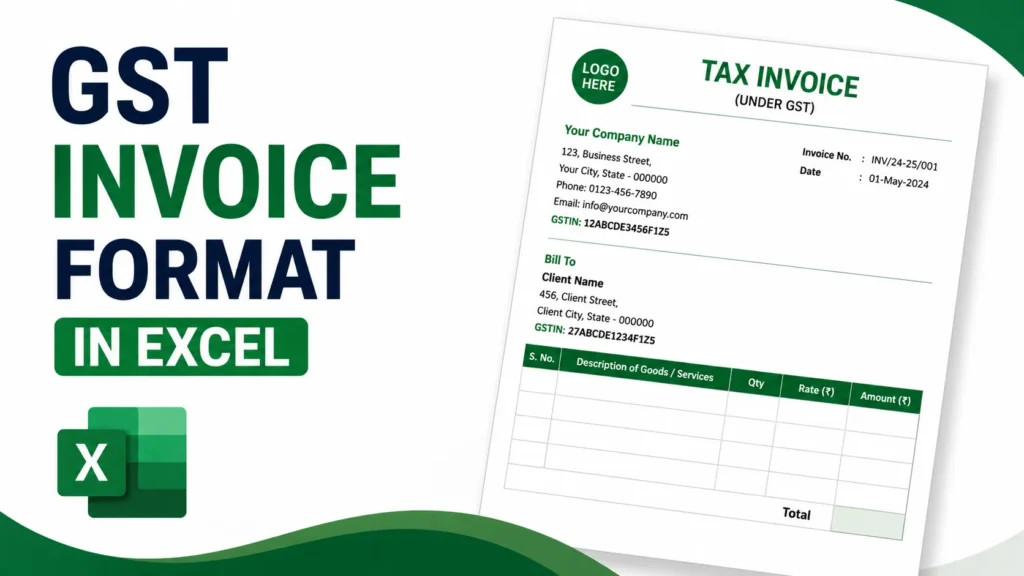
Looking for a reliable gst invoice bill format in excel that meets Indian GST rules? Good, because most small businesses end up building one in Excel anyway. It’s free, it’s already on your laptop, and once it’s set up correctly you barely have to think about it again. A decent sheet handles CGST, SGST or IGST on its own, keeps your numbering in order, and covers every field the law actually asks for, whether you’re printing a formal invoice or just handing a customer a bill at the counter. This piece covers what’s legally required, how to build the sheet yourself, the mistakes people keep making, and a few tips to keep it useful for years. There are download placeholders further down too: grab the gst invoice format in excel download if you want the full formal version, or the gst bill format in excel free download if you just need something quick for retail, professional and export needs.
What Makes a GST Invoice (or Bill) Valid
Under Rule 46 of the CGST Rules, there’s no fixed layout for a tax invoice. Design it however you want, as long as these particulars show up somewhere on the page:
- Your business name, address and GSTIN
- Consecutive invoice/bill number and date of issue
- Customer’s name, address and GSTIN (if registered)
- HSN code for goods or SAC code for services
- Description of the supply
- Quantity and unit of measurement
- Taxable value after any discount
- Rate and amount of CGST, SGST/UTGST or IGST
- Place of supply
- Signature or digital signature of the supplier
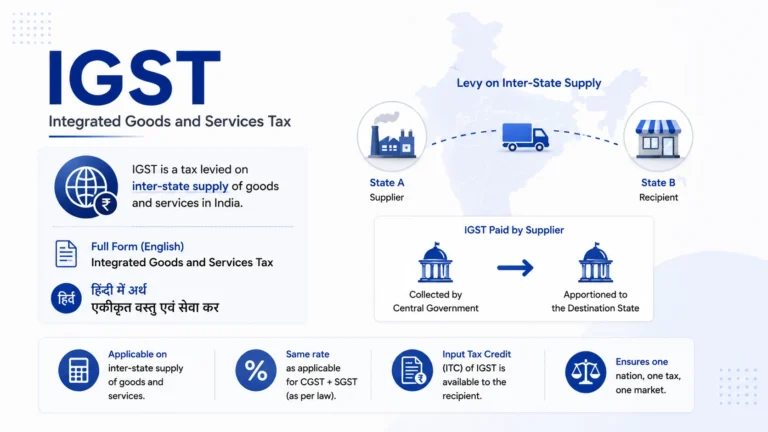
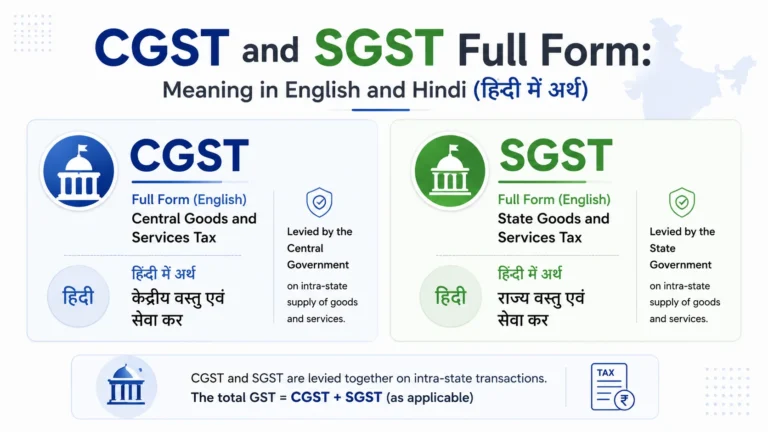
For inter-state supplies you show IGST. For intra-state supplies you split it into CGST and SGST (or UTGST). B2C bills under the prescribed turnover limits can skip a few of the finer details, but if a customer asks for a proper tax invoice, these fields still apply. Get them right and a plain spreadsheet turns into a legally sound gst invoice india format. It doesn’t really matter if you’re following an india gst invoice format on paper or just calling it a GST bill when you talk about it. Nobody at the GST department is going to check what word you used.
Why Excel Works Well for GST Invoicing and Billing
Excel lets you build the formulas once and reuse the sheet forever. Lock the cells so tax rates can’t be changed by accident, add dropdown lists for HSN codes or units, and keep a running invoice log on a second tab. A lot of users also link it to a small product master, so picking an item fills in the description and rate on its own. Fewer manual entries means fewer mistakes, which is basically the whole reason a gst invoice template excel remains the default choice for so many small traders and service providers.
Same story if you’re after a gst excel bill format rather than a formal invoice. Retailers, kirana stores, and small service providers mostly just want an excel gst bill format that prints fast at the counter without extra layers a full tax invoice doesn’t need. The sheet underneath, tax columns, totals, GSTIN fields, stays identical either way. Only the header label and how much detail you show really changes.
How to Create a GST Invoice or Bill Format in Excel from Scratch
Start with a blank workbook and work through these steps.
- Set the page layout to A4 and turn off gridlines for a cleaner print look.
- Top left: your logo (Insert > Pictures) plus company details, name, address, GSTIN, phone, email.
- Top right: “TAX INVOICE” in bold (or just “BILL” if you’re going for a bill format excel style), then Invoice/Bill Number, Date, and Place of Supply.
- Two sections below that: “Bill To” (customer name, address, GSTIN) and “Ship To” if the addresses differ.
- Build the item table with columns like:
- S.No.
- Description
- HSN/SAC
- Qty
- Unit
- Rate
- Taxable Value
- CGST Rate % and Amount
- SGST Rate % and Amount (or IGST)
- Total
- Keep the formulas simple. Taxable value:
=Qty*Rate. Tax amount:=TaxableValue*Rate/100. Sum everything at the bottom. - Add a totals block: Subtotal, Total CGST, Total SGST/IGST, Grand Total in words (a basic VBA function works, or just type it manually), and your bank details.
- Leave room for a signature and a line or two of terms & conditions.
- Protect the sheet so only the input cells stay editable, then save it as a template (.xltx) so every new invoice or bill starts clean.
Do this once and you’re not rebuilding a fresh excel bill format with gst from scratch every single time. You’re just filling in numbers on a sheet that already works. Nine steps sounds like a lot, but once it’s done you’ve got a solid bill format in excel with gst that’s ready for whatever comes next. And really, that’s the whole answer to “how do I keep my billing consistent”: call it an invoice or call it a bill, the layout above is a workable gst bill format excel that just needs your logo, GSTIN and rates dropped in.
How to Make GST Bill in Excel (Quick Version)
If the full formal layout above feels like overkill and you just want to know how to make gst bill in excel for a small shop or a one-person service business, here’s the shorter version:
- Open a blank sheet and add your business name, GSTIN, and a bill number at the top.
- Add columns for Item, Qty, Rate, Taxable Value, and GST (split into CGST+SGST or IGST).
- Add the customer’s name, and their GSTIN if they’re registered.
- Add a totals row with
=SUM()formulas for the taxable value and tax columns. - Save it as your standard sheet and duplicate it for every new sale.
That’s basically it. This lighter approach to gst billing excel suits businesses pushing out a lot of small-value bills who don’t want to fill in a full invoice template every single time, but still need every mandatory GST field on the page.
Sample Layout of a Basic GST Invoice or Bill in Excel
A typical single-page layout looks something like this:
- Header: Logo + Supplier details | TAX INVOICE (or BILL) + Invoice/Bill No. & Date
- Customer block: Bill To and Ship To side by side
- Item table with 6–8 rows for products or services
- Tax summary with separate CGST and SGST lines (or one IGST line)
- Amount in words, bank account details, authorised signatory
Colour the header lightly if you want, bold the totals, and stick to one font (Arial or Calibri, 10–11pt is plenty). Readability matters more than decoration here. A simple gst invoice format in excel built this way works fine for most retail or service businesses, and the same layout doubles as a simple gst bill format in excel the moment you drop the word “tax” from the header.
Free Download Placeholders for Ready Templates
Pick the format that suits your business. Every template below is free to use and easy to customise.
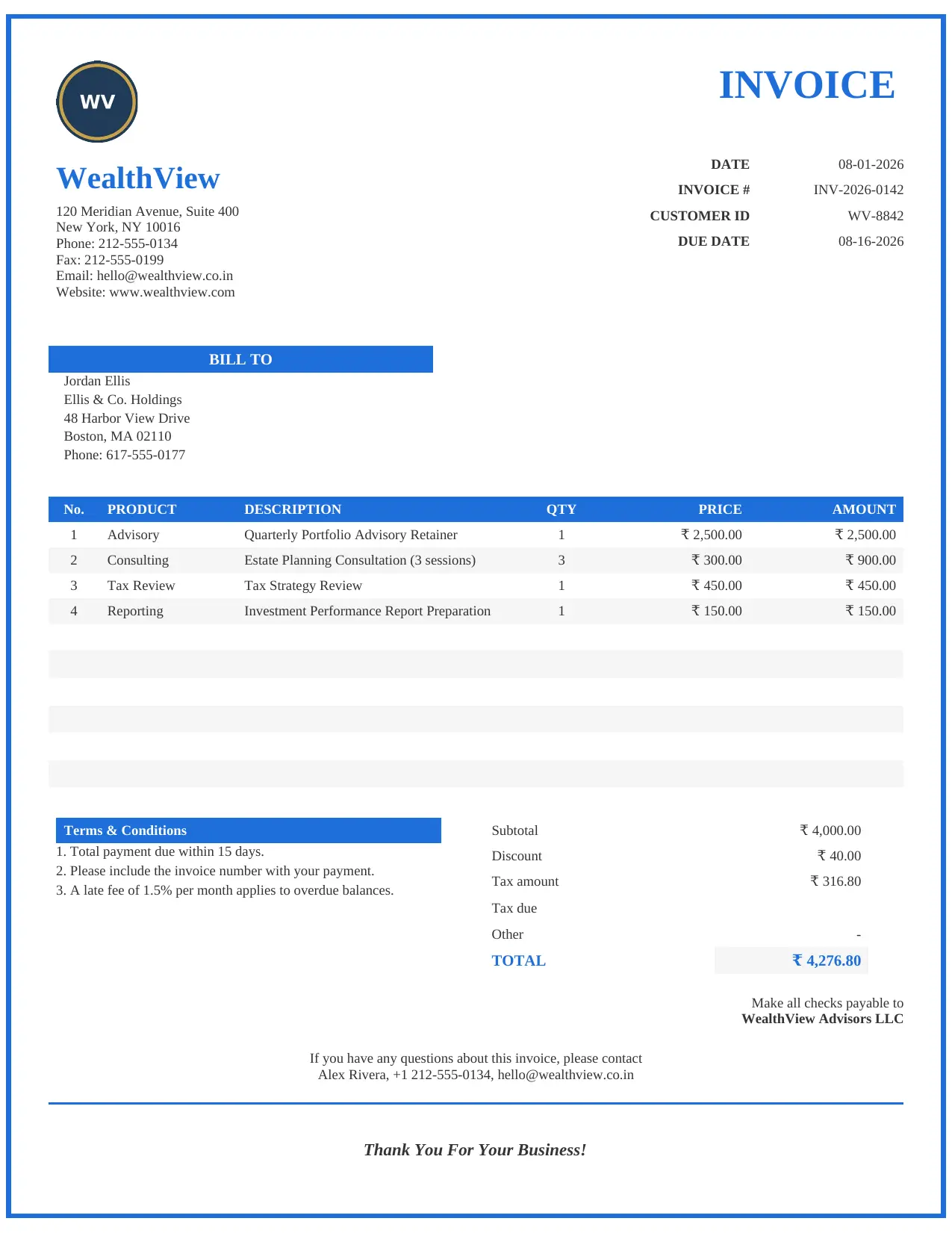
Service / Professional Invoice
Clean invoice layout designed for consultants, freelancers and service providers.
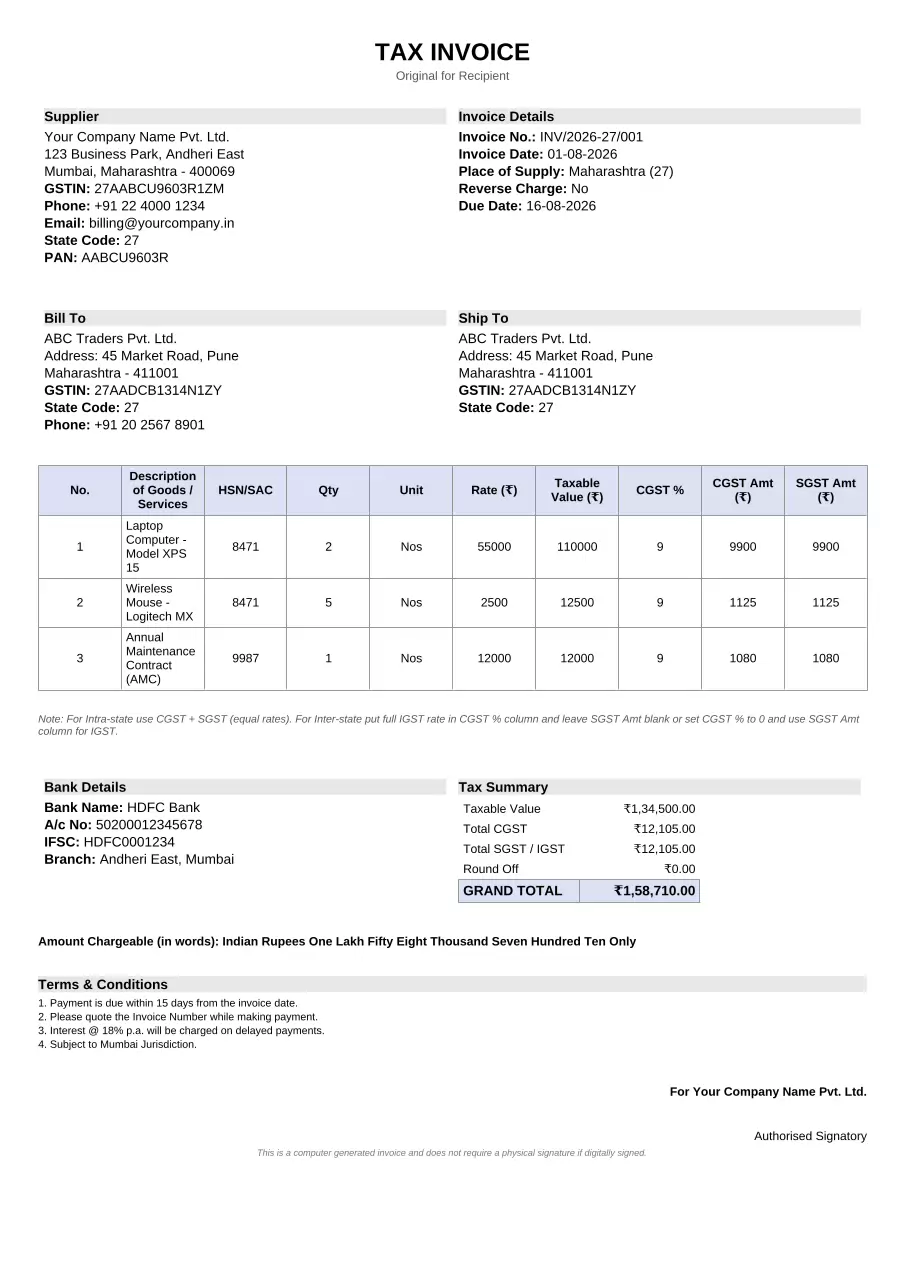
Basic GST Invoice Format
Simple GST invoice template suitable for everyday business transactions.
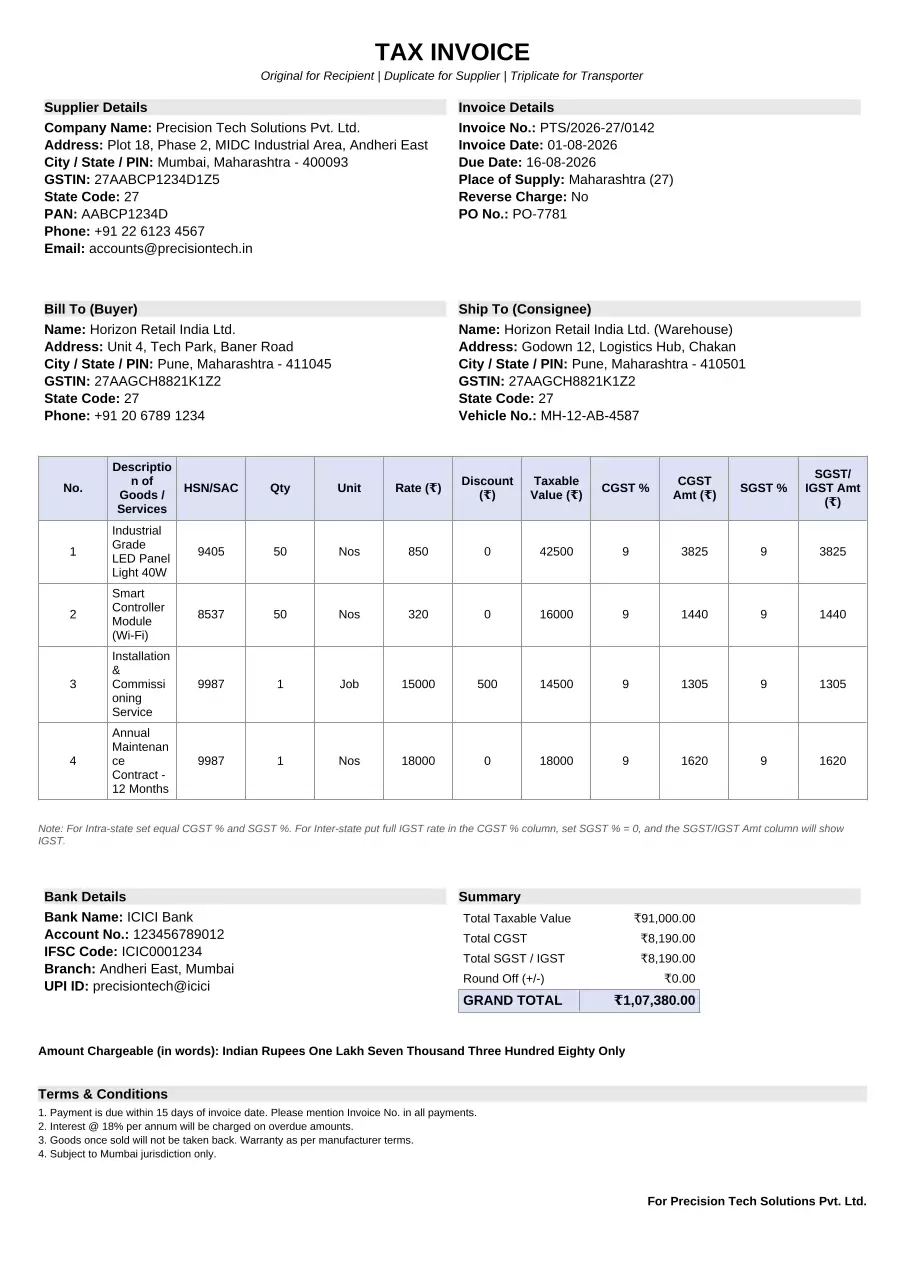
Professional GST Invoice Bill Format
Professional layout with space for purchase orders, discounts and extra details.
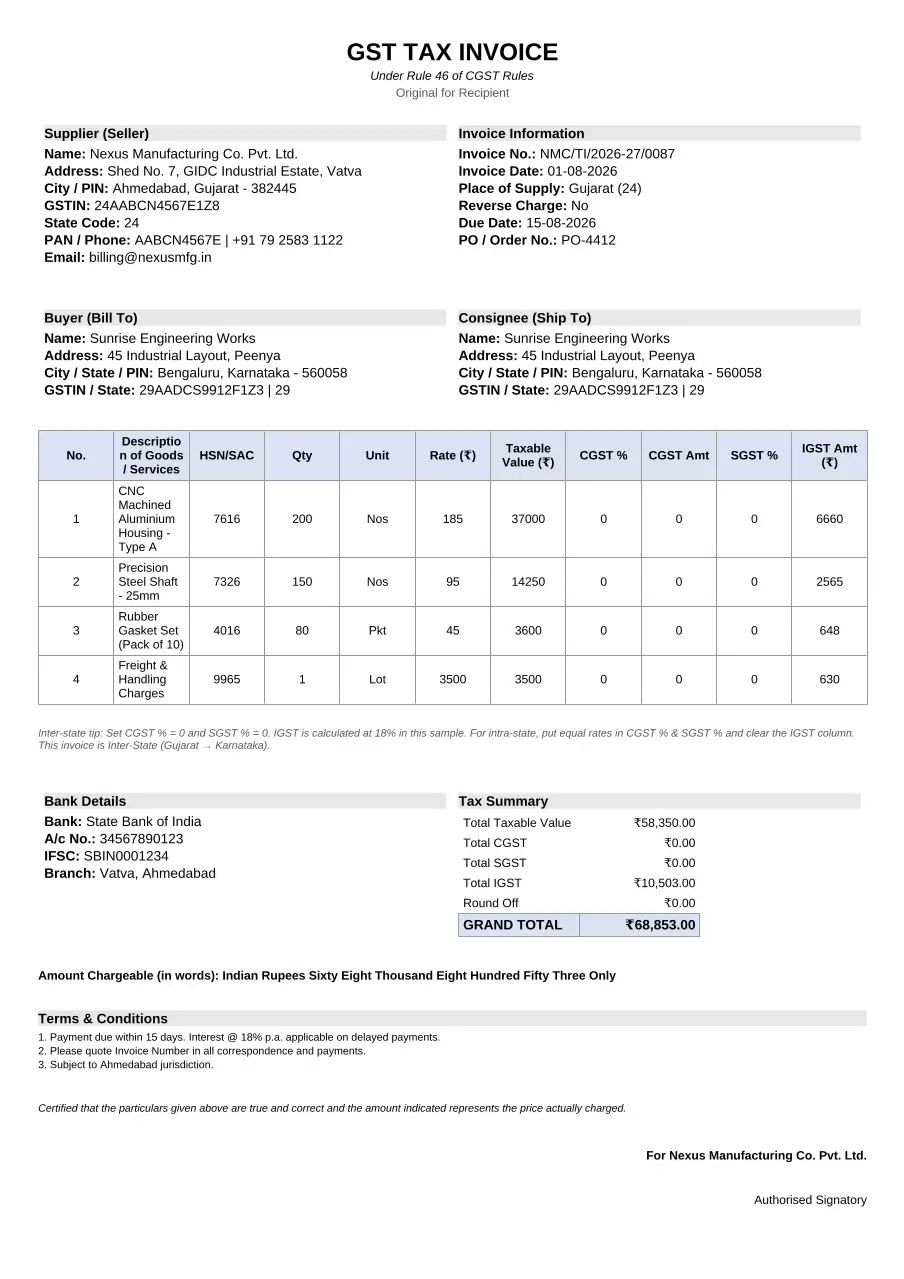
GST Tax Invoice Format
Rule 46 compliant template for businesses registered under GST.
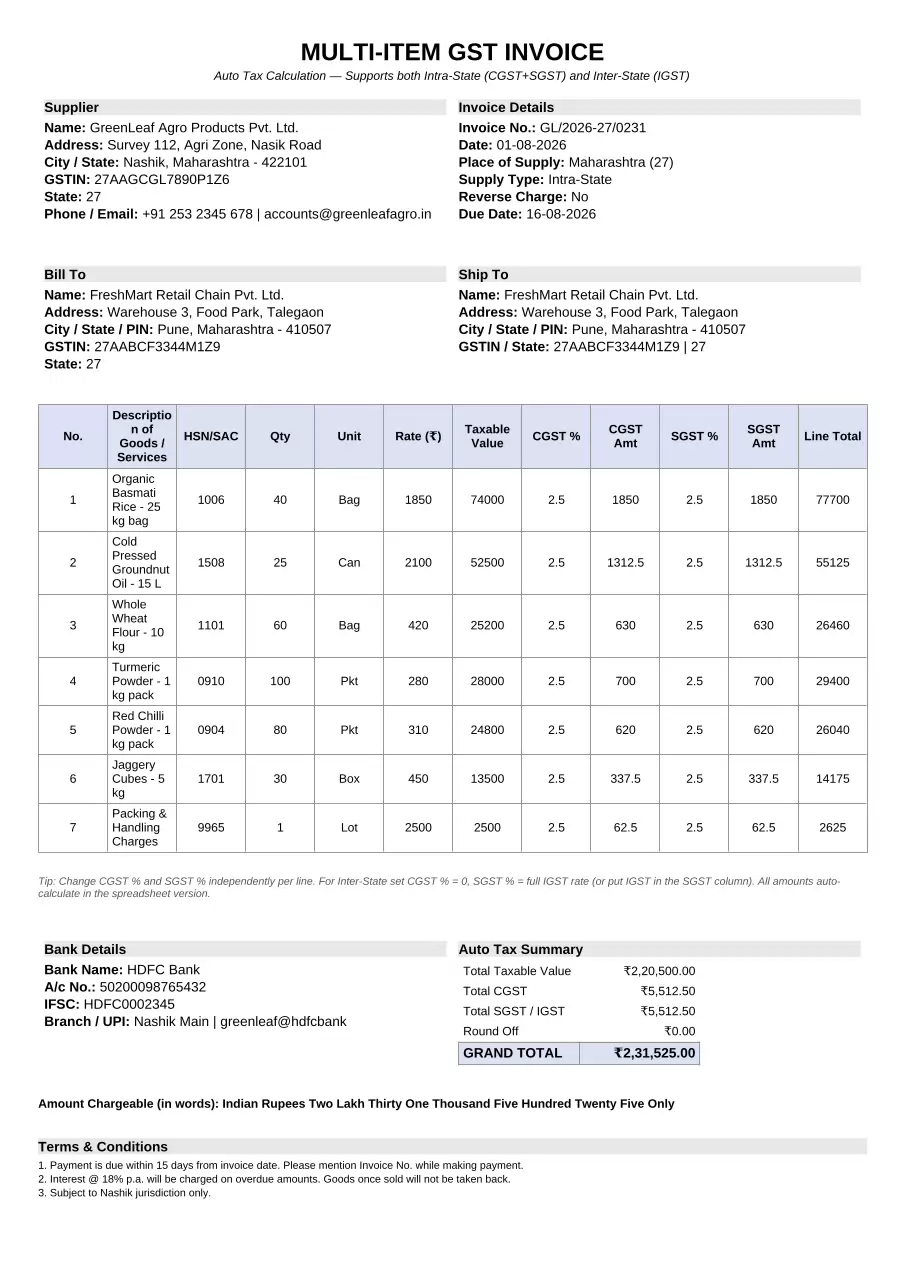
Multi-Item GST Invoice
Ideal for businesses that issue invoices containing multiple products or services.
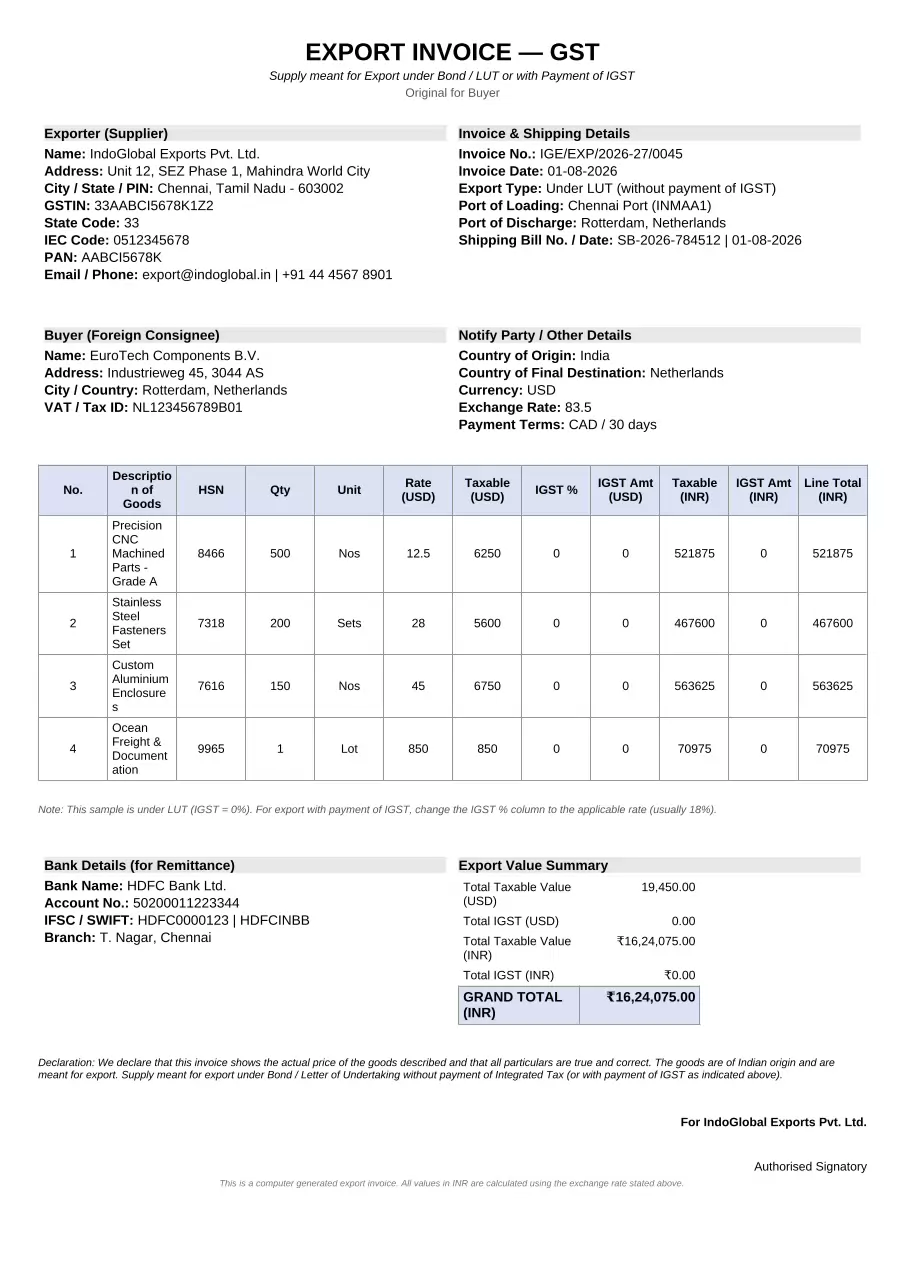
GST Export Invoice Format
Designed specifically for export transactions under LUT and IGST rules.
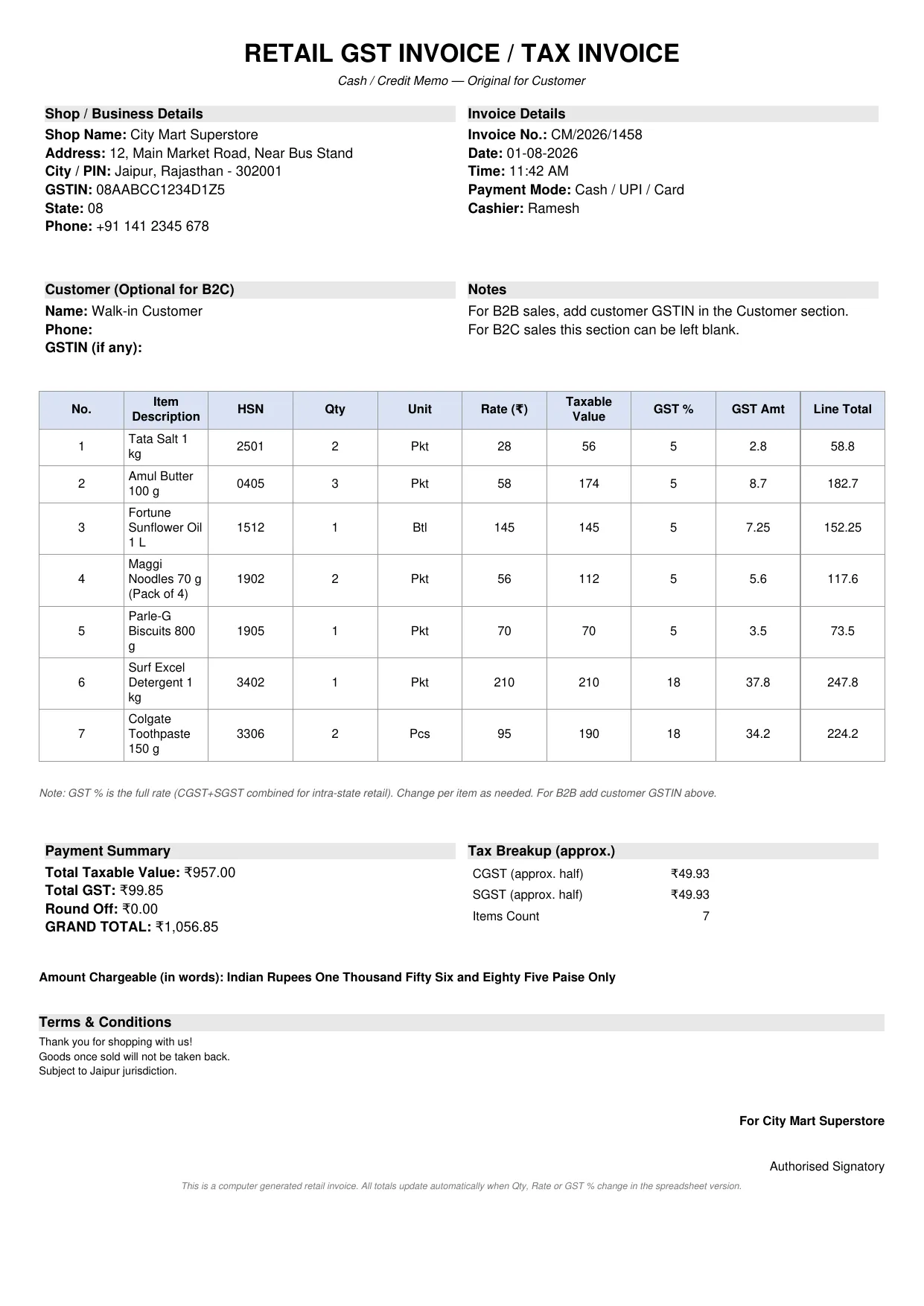
Retail GST Invoice Format
Perfect for retail shops, cash counters and small businesses.
These placeholders are editable files with the required fields already in place, CGST/SGST/IGST formulas built in, and space left for your logo and bank details. Landed here after a gst invoice format download search? Grab the template closest to your business type, drop in your GSTIN, logo and bank details, and that becomes your master copy from here on. Something lighter for daily counter sales works too: the same set covers a gst bill format in excel free download, just pick the plainer layout out of the list.
If your business ships outside your home state as well, keep a gst invoice format in excel free download india version on hand, since it already has IGST and the extra place-of-supply detail those sales need.
Practical GST Calculation Example
Say the taxable value is ₹10,000 and the GST rate is 18%.
- Intra-state sale (same state): CGST 9% = ₹900, SGST 9% = ₹900, Total invoice value = ₹11,800
- Inter-state sale: IGST 18% = ₹1,800, Total invoice value = ₹11,800
Notice the total tax doesn’t change, only the label and place of supply do. These are the exact formulas sitting behind any working tax invoice format in excel with gst, so build them once and let the sheet switch automatically based on the customer’s state. Don’t feel like setting up the formulas yourself? A gst tax invoice format in excel free download already has this logic wired in. You just type in the taxable value and rate.
Common Mistakes That Make Invoices or Bills Non-Compliant
The same handful of issues trip up most Excel users:
- Missing or incorrect GSTIN of the supplier or recipient
- Invoice/bill numbers that skip around or restart without any documentation for it
- Wrong tax type (CGST+SGST showing up on an inter-state supply)
- HSN/SAC codes left blank when the turnover threshold requires them
- Taxable value worked out before the discount instead of after
- Place of supply missing or wrong, which throws off the tax type entirely
- No signature, digital or otherwise
Go through this list before you send or print anything. It’s a two-minute check, and it’s the difference between a rough sheet and a proper gst invoice in excel that actually holds up if someone asks to see it during an audit. Even a plain gst format in excel needs these fields right. Skipping them is probably the single biggest reason small-business paperwork gets kicked back during GSTR-1 reconciliation.
Tips for Keeping Your Excel GST Templates Useful Long-Term
Keep a master product list on a second sheet, HSN codes, rates, units, all of it. VLOOKUP or XLOOKUP means picking an item fills in the description and rate for you. A separate log sheet recording every invoice or bill number, date, customer and amount is worth setting up too. It doubles as your sales register and makes reconciling GSTR-1 far less painful later.
Update the sheet whenever GST rates change, and keep old versions with clear file names so you can still open historical records if you ever need to. Once you’re issuing more than a few dozen invoices or bills a month, dedicated software might make more sense. Until then, a well-maintained Excel sheet holds up fine for years.
When You Might Need More Than a Basic Excel Sheet
Cross the e-invoicing threshold and you’ll need to generate invoices through the Invoice Registration Portal to get an IRN and QR code. Excel can’t produce the required JSON on its own, so most people prepare the data in Excel first and then push it through an accounting tool or the portal’s bulk upload feature. Export invoices and SEZ supplies carry extra details a standard domestic sheet won’t cover either, so it’s worth keeping a separate version ready for those. Until you hit that threshold though, a well-built Excel sheet is genuinely all you need for regular domestic billing.
Frequently Asked Questions
Is there an official GST invoice or bill format in Excel issued by the government? No. The law only lists what’s mandatory, the layout is entirely up to you. Ready-made files just save you the setup time.
Can I use the same Excel sheet for both intra-state and inter-state invoices? Yes. Hide or show the relevant tax columns (CGST+SGST versus IGST) and set the place of supply correctly. A lot of sheets keep both sets of columns and just switch on the right ones with a formula.
Do I need HSN codes on every invoice or bill? Depends on your turnover. Higher turnover businesses need HSN codes on everything. Smaller suppliers get a bit more leeway, but adding the codes anyway is still good practice.
How do I number invoices or bills correctly in Excel? Keep one continuous series per financial year. Type the next number in manually, or pull it from a log sheet with a formula that adds one to the last used number.
Where can I find a gst invoice format in excel free download india? Plenty of accounting blogs and template sites give these away free, usually with the CGST, SGST and IGST formulas already built in. The placeholders earlier in this article do the same job: drop in your GSTIN, logo and bank details and you’re done.
Is a digitally signed Excel invoice or bill acceptable? Yes, as long as the signature meets the requirements under the Information Technology Act and every mandatory field is present.
Do service-based businesses need a different sheet from product sellers? Not really. Swap the HSN column for an SAC code, and most service businesses can drop the Qty/Unit columns entirely since a service is usually billed as one line item.
How to make gst bill in excel if I’ve never built one before? Start with the quick version under “How to Make GST Bill in Excel” above: business details, an item table with GST split into CGST/SGST or IGST, and a totals row. Fifteen minutes, maybe less once you’ve done it a few times.
What’s the real difference between an “invoice” and a “bill” here? Honestly, not much in everyday GST use. A tax invoice is the formal, legally required document; “bill” is just the word most people reach for in conversation. Search for a gst invoice format in excel download or a gst bill format in excel free download and you’ll end up looking at the same kind of file either way.
Conclusion
A well-built GST invoice or bill sheet in Excel covers the legal requirements, does the tax math correctly, and looks decent when printed or emailed. Get the mandatory fields right, wire up the CGST, SGST or IGST formulas, and lock the sheet down so nobody edits it by accident. Check numbering, place of supply and customer details before anything goes out. After that, it’s mostly just maintenance, update the file when rules change, and it’ll keep working for as long as you need it to.