If your GST registration has been cancelled, log in to the GST portal, go to Services > User Services > View/Download Certificates, find Form GST REG-19 in the list, and click the download icon to get the PDF. The certificate only appears here once the cancellation order has actually been approved.
Page Contents
What Is the GST Cancellation Certificate?
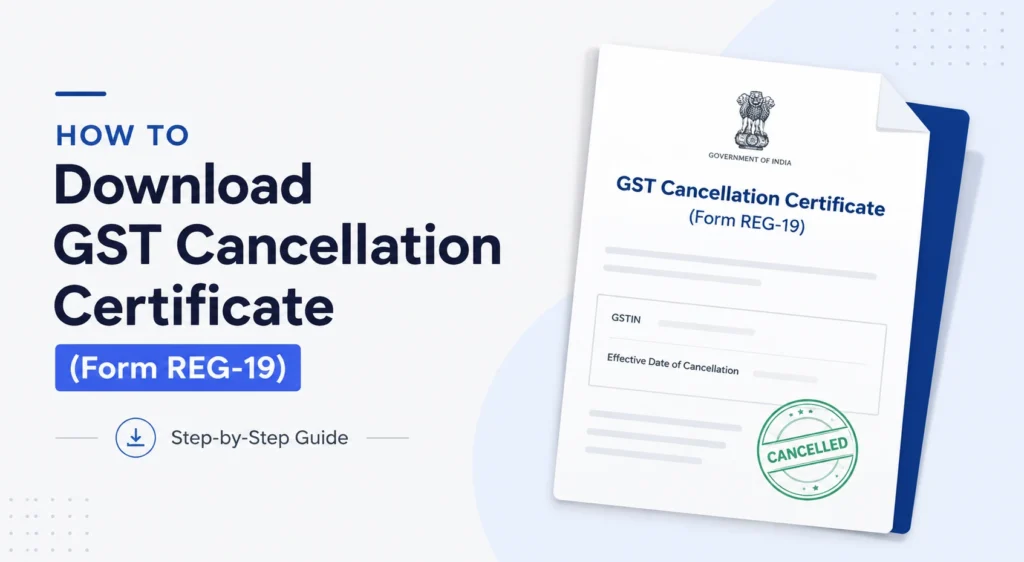
The GST cancellation certificate is officially called Form GST REG-19. It’s the order a tax officer issues once your GST registration is cancelled, whether you applied for it yourself or the department cancelled it on its own.
The certificate does two things:
- Confirms your GSTIN is no longer active.
- States the effective date from which the cancellation applies.
This date matters because it marks the point after which you’re no longer required to charge GST or file regular returns, though some closing formalities still apply (more on that below).
It’s worth knowing this is different from your original GST registration certificate (Form REG-06). One confirms you’re registered, the other confirms you’ve been de-registered.
How to Download GST Cancellation Certificate: Step-by-Step
There are two ways to reach the certificate on the portal. Try the first one; if it doesn’t show anything yet, use the second to check where your application actually stands.
Method 1: Download via View/Download Certificates
- Go to the GST portal at www.gst.gov.in.
- Log in using your username and password.
- Click Services on the top menu.
- Select User Services, then View/Download Certificates.
- Look for Form GST REG-19 in the list of certificates shown.
- Click the download icon next to it to save the PDF, which will include the cancellation order and effective date.
This is the direct route once your cancellation has been processed. If REG-19 isn’t in the list, your application likely hasn’t been approved yet.
Method 2: Check status first, then download
If you recently applied for cancellation and aren’t sure where things stand, track the application before looking for the certificate.
- Log in to the GST portal.
- Go to Services > Registration > Track Application Status.
- Select the Submission Period and enter the date range in which you filed.
- Click Search to see your Application Reference Number (ARN) and its current status.
- Once the status changes to approved, go back to View/Download Certificates and download REG-19 as described above.
Skipping straight to Method 1 without checking status is the most common reason people think the download “isn’t working.” In most cases, it’s simply not ready yet.
When Does the Certificate Become Available?
There’s no fixed number of days written into the process. Timing depends on how quickly the tax officer reviews and approves the application. Once the officer approves it, and the status on your dashboard changes accordingly, the REG-19 order gets generated and shows up under View/Download Certificates almost immediately.
Until approval happens, you’ll only see the application status (pending, under query, or similar), not the certificate itself.
GST Cancellation Certificate Not Showing? Common Reasons
If you’ve logged in and can’t find REG-19, it’s usually one of these:
Application still pending. The officer hasn’t approved the cancellation yet. Check the status via Track Application Status rather than looking under certificates.
Logged into the wrong GSTIN. If your business has multiple registrations, make sure you’re logged into the specific account where cancellation was filed.
Query raised by the officer. Sometimes the department asks for clarification before approving. You’ll usually get a notice on the portal or by email if this happens, and you’ll need to respond before the process moves forward.
Final return not filed. In some cases, pending compliance like an unfiled GSTR-10 can hold up the completion of the process even after the order stage.
If none of these apply and it’s been a while, it’s worth reaching out to the GST helpdesk or a tax professional to check if there’s a technical glitch on your account.
REG-16 vs REG-19 vs REG-20: Don’t Confuse These Forms
These three forms come up together and it’s easy to mix them up.
- Form GST REG-16: The application you file to request cancellation of your registration. This is the starting point, not the certificate.
- Form GST REG-19: The order confirming cancellation has been approved. This is the certificate people are usually searching for when they look up “GST cancellation certificate.”
- Form GST REG-20: Issued when the officer is satisfied with your explanation and drops the cancellation proceedings, meaning your registration continues as normal.
If you filed REG-16 and are now looking for your certificate, you’re looking for REG-19, not REG-16 again.
What to Do After Downloading the Certificate
Getting the certificate isn’t the final step in every case. A couple of things usually follow.
File your final return (GSTR-10)
If your registration was cancelled and you were a regular taxpayer (not a composition dealer or certain other categories), you’re generally required to file Form GSTR-10 within three months of the cancellation date or the order date, whichever is later. This closes out your GST account formally.
Keep the certificate for your records
Save the PDF along with your GSTIN details, cancellation date, and the ARN of your original application. You may need this later for:
- Bank or vendor KYC updates.
- Tax audits or scrutiny for the period before cancellation.
- Proof of closure if you apply for a fresh GST registration later.
Frequently Asked Questions
In which form is the GST cancellation certificate issued?
It’s issued as Form GST REG-19, the official order of cancellation of registration.
Where do I download the GST cancellation certificate?
Log in to the GST portal and go to Services > User Services > View/Download Certificates, where Form GST REG-19 appears once approved.
Can I download the certificate without logging in?
No. You need valid GST portal login credentials. There’s no public or guest-access route to download it.
Why is my GST cancellation certificate not showing on the portal?
The most common reasons are that the application is still pending approval, you’re checking under the wrong GSTIN, or the officer has raised a query that needs a response first.
How long does it take to get the cancellation certificate after applying?
There’s no fixed timeline. It depends on how quickly the tax officer processes and approves your application after you submit Form GST REG-16.
Do I need to file anything after receiving the certificate?
Yes, in most cases. A final return in Form GSTR-10 is typically required within three months of the cancellation date or order date, whichever is later.
Can GST cancellation be reversed after the certificate is issued?
In certain cases, yes, you can apply for revocation of cancellation, but only within the time limit specified on the portal for your case. Check the current deadline shown against your application, since these limits have been revised in the past.
Is there a fee to download the GST cancellation certificate?
No. Downloading the certificate from the GST portal is free; you only need your login credentials.
This article is for informational purposes only and is not investment or tax advice. Consult a qualified professional for decisions specific to your situation.
Also Read: Download GST Certificate from the GST Portal by GST Number (2026)