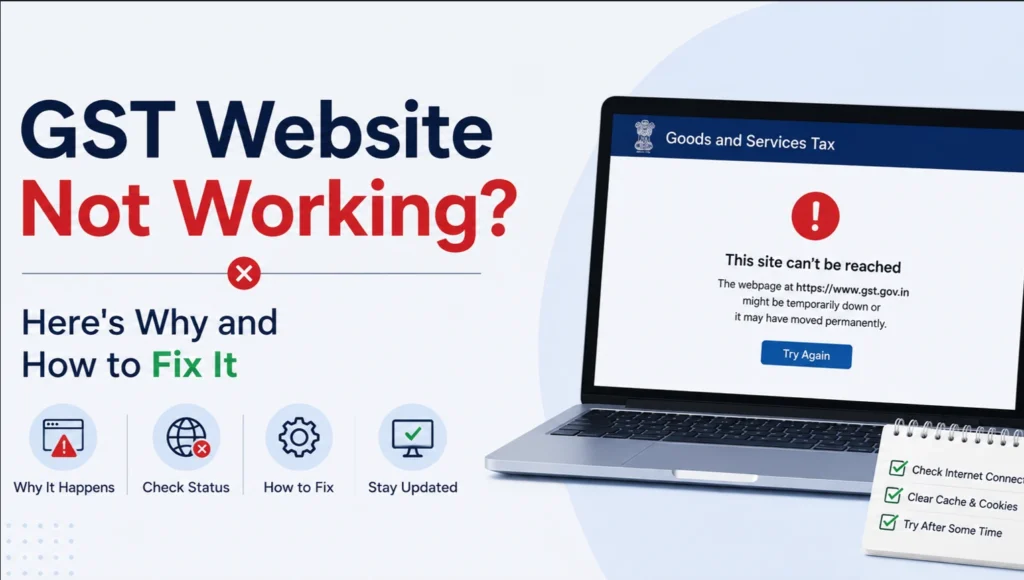
If the GST website is not working, it’s usually one of three things: GSTN’s servers are overloaded near a filing deadline, the portal is under scheduled maintenance, or the problem is sitting in your own browser (cache, cookies, or an outdated version). Most of the time, you can fix it yourself in under ten minutes. Here’s how to tell which one you’re dealing with, and what to do about each.
Page Contents
Is the GST Portal Down for Everyone, or Just You?
Before you start clearing cache or restarting your router, figure out whether this is a GSTN-side outage or a local issue. It changes what you should do next.
Check these first:
- Try a different device or network. If the portal loads fine on your phone’s mobile data but not on your office Wi-Fi, the problem is local, not GSTN’s.
- Check the GST Tech handle on X (@Infosys_GSTN). GSTN posts outage acknowledgments here fairly quickly when there’s a genuine server-side problem, often with a line like “we are working to resolve the issue.”
- Check GSTN’s official advisories page at gst.gov.in under News & Updates. This is where confirmed outages, extensions, and maintenance windows get posted officially, separate from social media.
- Look at a third-party status tracker, such as isitdownrightnow.com or downrightnow.in. A spike in reports around the time you’re facing issues is a strong sign it’s not just you.
If these point to a real outage, stop troubleshooting on your end. Clearing your cache won’t fix a server that’s down.
Common Reasons the GST Portal Stops Working
Heavy Traffic Near Filing Deadlines
This is the single biggest cause. Server load spikes hard around the 11th (GSTR-1), 20th (GSTR-3B for monthly filers), and other recurring due dates, when lakhs of taxpayers and CAs try to file at the same time. The portal isn’t broken so much as overwhelmed.
Scheduled Maintenance
GSTN regularly takes the portal offline for upgrades and bug fixes, usually late at night or in the early hours of weekends (commonly between 11 PM and 6 AM IST). These windows are announced in advance on the portal and on GSTN’s social channels, so if you’re hitting a wall during off-hours, this is worth checking first.
Backend Server or Technical Glitches
Sometimes it’s a genuine bug: a backend sync issue, a certificate update gone wrong, or a bad deployment. These tend to affect everyone at once and are usually acknowledged publicly within a few hours. GSTN has extended filing deadlines in the past when a technical snag was confirmed on their end, so a real outage close to a due date isn’t necessarily a lost cause.
Browser Cache, Cookies, or Compatibility Issues
A stale cache is the most common individual-side cause of blank pages, stuck loaders, and login loops. Older browsers, especially Internet Explorer (which the portal has largely stopped supporting), can also throw errors the newer browsers won’t.
Feature or Section-Specific Downtime
Sometimes it isn’t the whole portal, just one part of it. Backend updates to specific modules, like IMS, QRMP, DRC-03, or e-invoicing, can take that section offline for maintenance while the rest of the portal works normally. If only one feature is failing and everything else loads fine, this is usually why. Waiting an hour and retrying, or checking GSTN’s advisories page, is the right move here rather than assuming your account is broken.
Weak or Unstable Internet
An intermittent connection can cause the portal to time out mid-action, especially during OTP verification or file upload, and it can look exactly like a server problem when it isn’t.
Session or OTP Errors
Error 401, or a message saying your session is unauthorized, almost always means your login session expired, not that the site is down. A fresh login usually clears it.
“This Site Can’t Be Reached” or Connection Errors
This is a different problem from a blank page or a slow load. It usually points to a DNS or network-level issue rather than the portal itself: your ISP’s DNS server hasn’t updated, a proxy or VPN is interfering, or a firewall is blocking gst.gov.in outright. Switching to a public DNS (like 1.1.1.1 or 8.8.8.8), disabling a VPN, or trying mobile data instead of office Wi-Fi usually resolves it faster than clearing cache does. Also check your browser’s proxy settings; a leftover or misconfigured proxy can make an otherwise working site look unreachable. If none of that works, a full network reset (flushing DNS and resetting your network adapter) clears out deeper connection issues that individual fixes sometimes miss.
Step-by-Step Fixes When the GST Site Is Not Working
Work through these in order. Most people find their fix in the first three steps.
- Confirm it’s not a wider outage (see the section above). If it is, skip to the deadline section below instead of continuing.
- Clear your browser’s cache and cookies for gst.gov.in specifically, then close and reopen the browser.
- Try an incognito or private window. This bypasses cached data and extensions without needing a full cache clear, and it’s a fast way to isolate the problem.
- Switch browsers. Chrome and Edge (in standard mode) tend to be the most reliable for general portal use. If you were on Internet Explorer, move off it entirely.
- Check your internet connection, or switch networks if you can, to rule out a local connectivity issue.
- Log out completely and log back in if you’re seeing session or “unauthorized” errors. Don’t rely on old bookmarked pages; navigate fresh through the dashboard.
- Restart your device. It sounds basic, but it clears a surprising number of stuck browser and DNS states.
- Wait it out if it’s maintenance or a confirmed outage. No fix on your end will help until GSTN restores service.
| Symptom | Likely Cause | What To Do |
|---|---|---|
| Blank page or stuck loader | Cache or browser issue | Clear cache, try incognito |
| “Session unauthorized” / Error 401 | Expired login session | Log out fully, log back in |
| Site works on mobile data but not Wi-Fi | Local network issue | Switch network, restart router |
| “This site can’t be reached” / unreachable | DNS, VPN, or firewall block | Switch DNS, disable VPN, try mobile data |
| Down for everyone, confirmed on X | GSTN server issue or maintenance | Wait, keep proof of attempts |
| Fails only during 11th, 20th, 25th | Peak traffic overload | Retry during off-peak hours (early morning, late night) |
GST Portal Not Working Today, Right Before a Deadline? Here’s What To Do
This is the situation that actually causes panic, so it’s worth handling separately.
First, don’t keep hammering refresh. Repeated attempts on an overloaded server rarely get you through faster and can make your own connection look like the problem.
Second, document your attempts. Screenshot the error message with a visible timestamp, and if possible, screenshot the outage acknowledgment from GST Tech’s X account. This matters if you later need to explain a late filing.
Third, know that extensions do happen, but they’re not automatic. GSTN has pushed back due dates before when a technical failure was confirmed on their end. There’s real precedent for this: portals have gone down with less than 24 hours left before a filing deadline, and GSTN has sent incident reports to the CBIC requesting an extension after a confirmed outage. But this is a case-by-case call made after the fact, not a guarantee, and even when the filing deadline is extended, interest under Section 50 can still apply to any tax paid after the original due date. Don’t assume an outage automatically waives every financial consequence.
Fourth, raise a formal grievance if the portal stays down. Go to the self-service grievance portal (selfservice.gstsystem.in) and use “Report Issue.” Type a keyword for your problem, like “GSTR 1” or “login,” and the system will first show you matching FAQs in case there’s a quick fix. If none apply, select “No, I want to lodge my complaint,” fill in the details, and you’ll get a ticket number by email that you can use to track the status later. Keep that ticket number; it’s your proof that you tried to comply on time.
GST Site Under Maintenance: How Long Does It Usually Last
Routine maintenance windows are typically a few hours, most often overnight or on weekends. Larger upgrades or migrations can run longer, sometimes stretching to half a day. If a maintenance message doesn’t clear within the announced window, treat it as an unplanned extension rather than a fresh error on your end, and check GSTN’s official channels for an update before troubleshooting further.
When to Contact the GST Helpdesk
If you’ve worked through the fixes above and the portal is still inaccessible only for you (not a wider outage), it’s time to escalate rather than keep guessing:
- Call the GST helpline (toll-free, 1800-103-4786) for direct support. It’s staffed Monday to Saturday, 9 AM to 9 PM.
- Raise a ticket through the self-service grievance portal at selfservice.gstsystem.in, using the “Report Issue” flow. You’ll get a ticket number to track it.
- Email the helpdesk if phone lines are busy, especially close to deadlines when call volumes spike.
While you wait, it’s not wasted time. Reconcile your purchase data, match ITC against GSTR-2B, and prepare your return using GSTN’s offline utility if you have one for the relevant form. That way, the moment the portal is back, you’re only uploading a ready file instead of starting from scratch.
Keep your GSTIN, the error message, and a timestamp ready. It speeds up resolution considerably.
Frequently Asked Questions
Why is the GST website not working today? Most often it’s either heavy traffic around a filing deadline, scheduled maintenance, or a local browser/cache issue on your end. Check GST Tech’s X account or a status tracker to see if others are reporting the same problem.
How do I know if the GST portal is down for everyone or just me? Try accessing it from a different device or network. If it fails everywhere, check GSTN’s official social media for an outage acknowledgment before assuming it’s your setup.
Does the GST filing deadline get extended if the portal is down? Sometimes, but only after GSTN officially confirms a technical failure on their end. It isn’t automatic, and interest on unpaid tax can still apply even if the filing deadline itself is pushed back.
What should I do if the GST portal is under maintenance? Wait for the announced maintenance window to end and prepare your data offline in the meantime. If the portal doesn’t come back up as scheduled, check GSTN’s official channels for updates.
Why does the GST site keep timing out during return filing? This is usually server overload during peak filing days (around the 11th, 13th, 20th, and 25th of the month). Try filing during off-peak hours, like early morning, if your deadline allows it.
How do I report a GST portal issue? Use the self-service grievance portal and attach a screenshot of the error with a timestamp, or call the GST helpline directly.
What is the GST helpdesk number? The GSTN helpdesk is 1800-103-4786 (toll-free), staffed Monday to Saturday, 9 AM to 9 PM.
Disclaimer: This article is for general informational purposes only and does not constitute tax, legal, or professional advice. GST rules, deadlines, and portal features can change. Please verify current details on the official GST portal or consult a qualified tax professional before making any compliance decisions.
Read More: How to Download GST Order and Notice from the Portal 2026